
Time Clock Wizard17.0.3 - Google Play
You'll be able to see results in few seconds.
Publisher Description
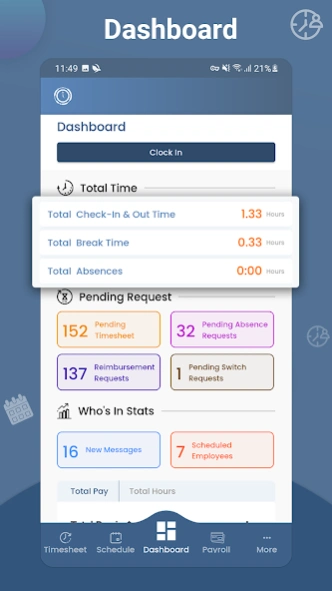
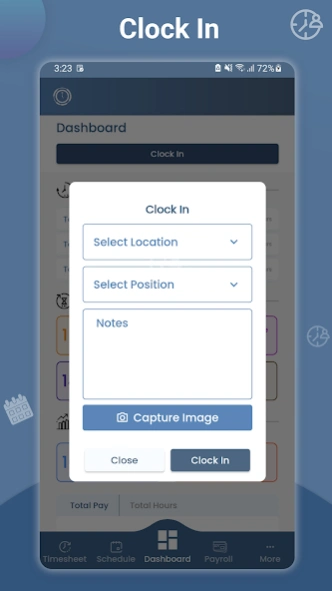
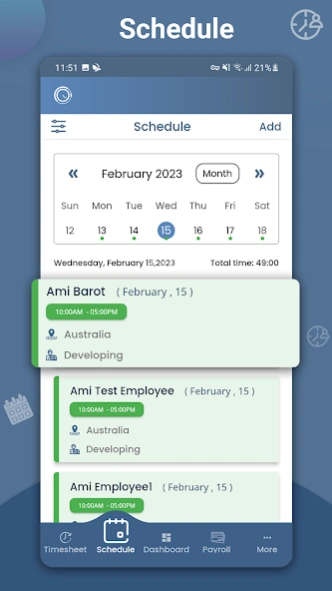
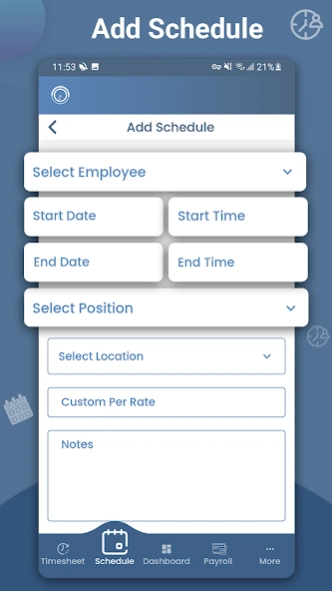
A powerful employee scheduling, time tracking and payroll tool.
WHY US
• Simple and easy to use dashboard.
• Employees can clock in and out, add time sheet changes, and view their work schedule on-the-go.
• On-the-clock GPS tracking
• Intuitive user experience with lightning app speed.
• Automatic syncing; All data stored on the mobile app will sync seamlessly with your web-based account.
ALSO INCLUDED
• Generate payroll reports directly from your mobile device.
• Send push notifications to individual employees, or your entire team
• Upload receipt images for company reimbursement tracking
• Add, delete and switch employee work schedules
• Robust employee task management system
SIGN UP
This time clock app requires a Time Clock Wizard account. Sign up now on the app or at http://www.timeclockwizard.com for a free account. No credit card required.
SUPPORT, WE’RE HERE WHEN YOU NEED US
Our free customer support is available for every Time Clock Wizard user. You can visit our website at http://www.timeclockwizard.com and chat live or call us.
Phone:(866) 208-7618
Email: info@timeclockwizard.com
PLUS, using the Time Clock Wizard Web dashboard, managers can:
• See who’s working and view their location in real time
• Manage paid time off, holiday, and vacation time
• Download, Print, Email and Export Reports into many types of formats for use with Quickbooks, Freshbooks and many other accounting systems
• Assign individual tasks for employees and monitor their progress
• Manage shifts and send employee schedules via email and SMS notification (text message)
About Time Clock Wizard
The company that develops Time Clock Wizard is Time Clock Wizard Inc.. The latest version released by its developer is 17.0.3.
To install Time Clock Wizard on your Android device, just click the green Continue To App button above to start the installation process. The app is listed on our website since 2026-08-27 and was downloaded 0 times. We have already checked if the download link is safe, however for your own protection we recommend that you scan the downloaded app with your antivirus. Your antivirus may detect the Time Clock Wizard as malware as malware if the download link to com.TCW is broken.
How to install Time Clock Wizard on your Android device:
- Click on the Continue To App button on our website. This will redirect you to Google Play.
- Once the Time Clock Wizard is shown in the Google Play listing of your Android device, you can start its download and installation. Tap on the Install button located below the search bar and to the right of the app icon.
- A pop-up window with the permissions required by Time Clock Wizard will be shown. Click on Accept to continue the process.
- Time Clock Wizard will be downloaded onto your device, displaying a progress. Once the download completes, the installation will start and you'll get a notification after the installation is finished.
Program Details
System requirements
Download information
Pricing
Version History
version 14.0.0
posted on 2026-08-27
version 13.0.1
posted on 2024-07-29
Bug fixes and performance improvements.
version 13.0.0
posted on 2024-05-19
Performance improvements.
version 11.0.0
posted on 2023-04-03
Bug fixes
version 7.1.6
posted on 2016-10-22
* Time-sheet time round off change,* Clock-In filed change,* Bug fixes
Disclaimer
Official Google Play Link
We do not host Time Clock Wizard on our servers. We did not scan it for viruses, adware, spyware or other type of malware. This app is hosted by Google and passed their terms and conditions to be listed there. We recommend caution when installing it.
The Google Play link for Time Clock Wizard is provided to you by apps112.com without any warranties, representations or guarantees of any kind, so access it at your own risk.
If you have questions regarding this particular app contact the publisher directly. For questions about the functionalities of apps112.com contact us.
